Built for purpose. Solivia Monitor integrates programmatic oversight, data collection, and institutional reporting into a single, high-fidelity environment.
A platform designed for clarity, efficiency, and control.
Access your MNE Dashboard
Across the development and humanitarian sector, common challenges persist:
Scattered across multiple disconnected tools.
Managed in entirely separate systems.
Manual, time-intensive, and prone to errors.
Rigid software incredibly difficult to adopt.
This is not a gap in effort.
It is a gap in system design.
Built explicitly addressing the structural challenges faced in programme design, tracking, and reporting workflows.
Solivia Monitor was developed from direct, hands-on experience deeply situated within day-to-day Monitoring & Evaluation environments.
The system reflects an understanding of:
Solivia Monitor connects all core components of the M&E workflow. All processes operate within a single, integrated environment.
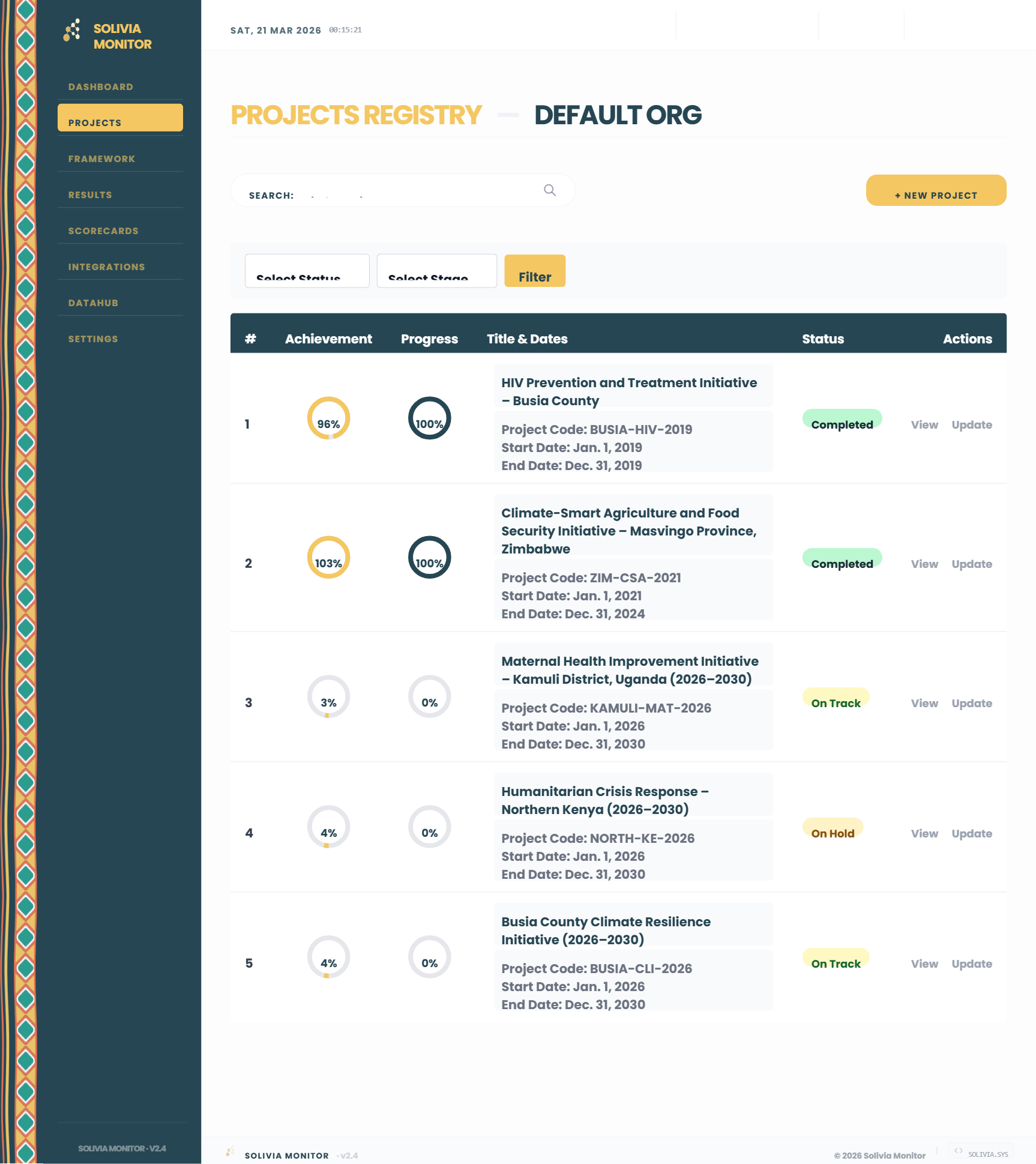
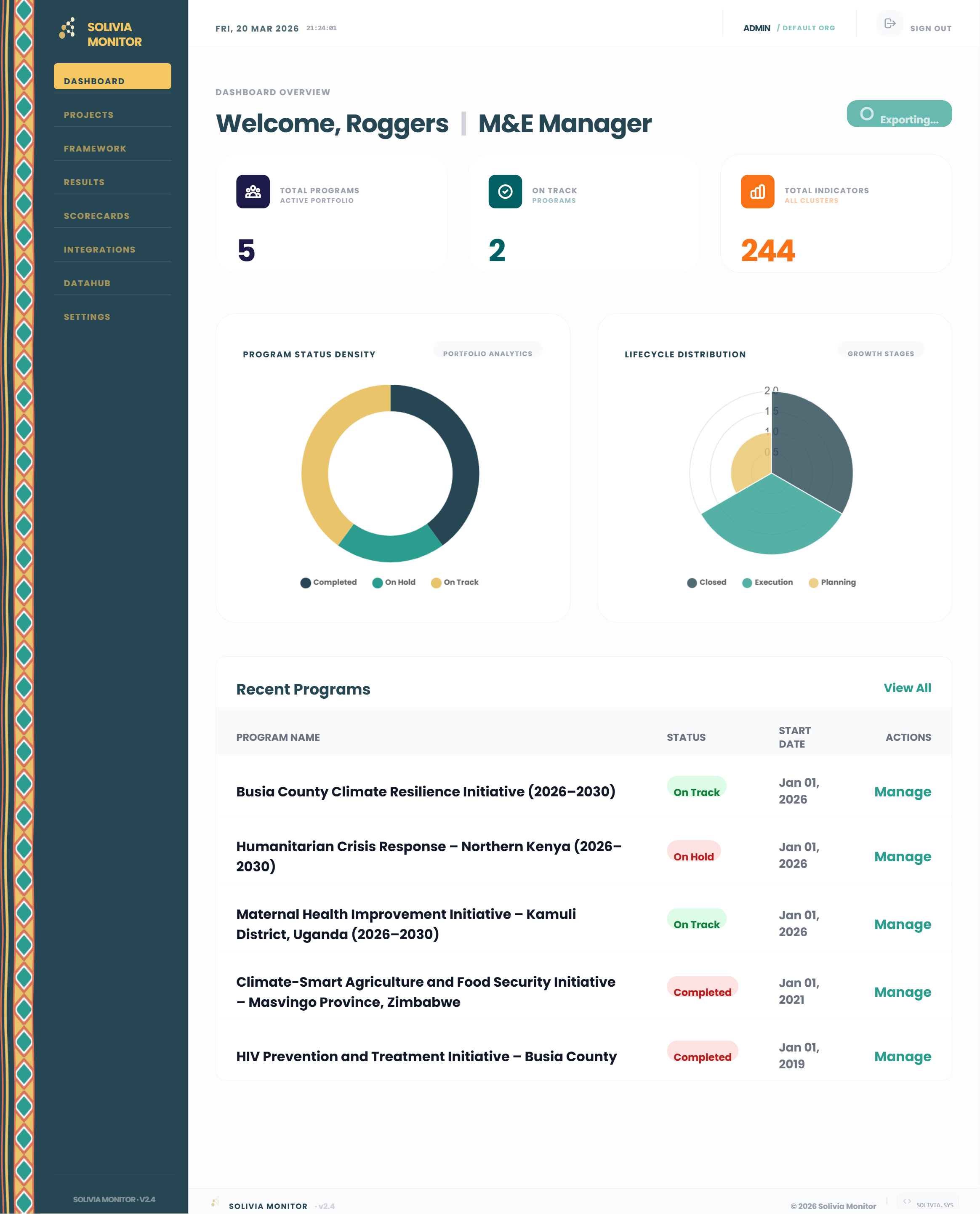
A central hub for managing the entire programmatic portfolio. Track project milestones, financials, donor contributions, risks, and beneficiary data across all active implementations in real-time.
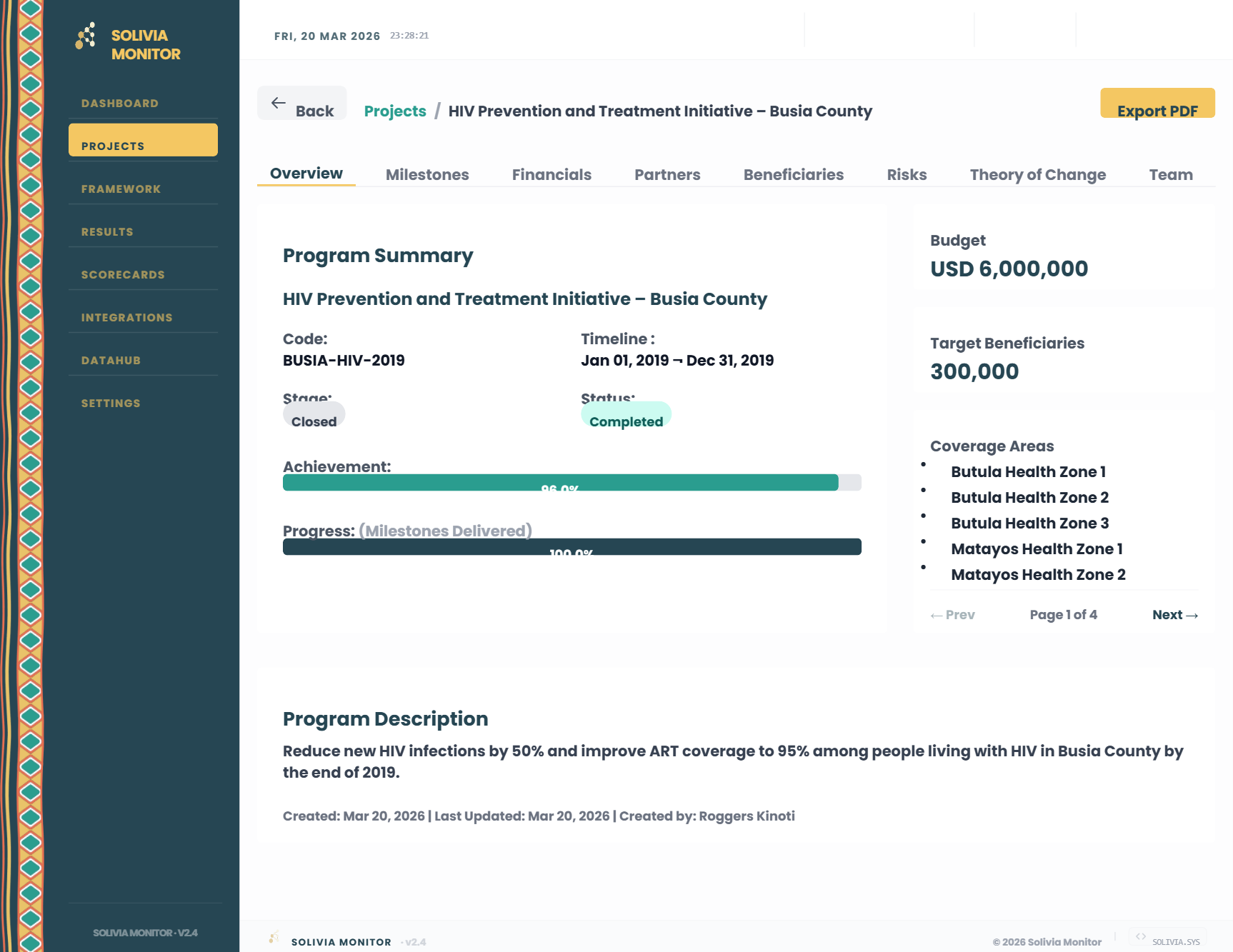
Programme summary, stage/status badges, progress bars, and budget.
The interactive Gantt chart tracking output-level activities and their statuses.
Donut charts for Funding vs Budget and Burn Rate, plus ledger tables.
Donor contribution progress, type distributions, and partner tables.
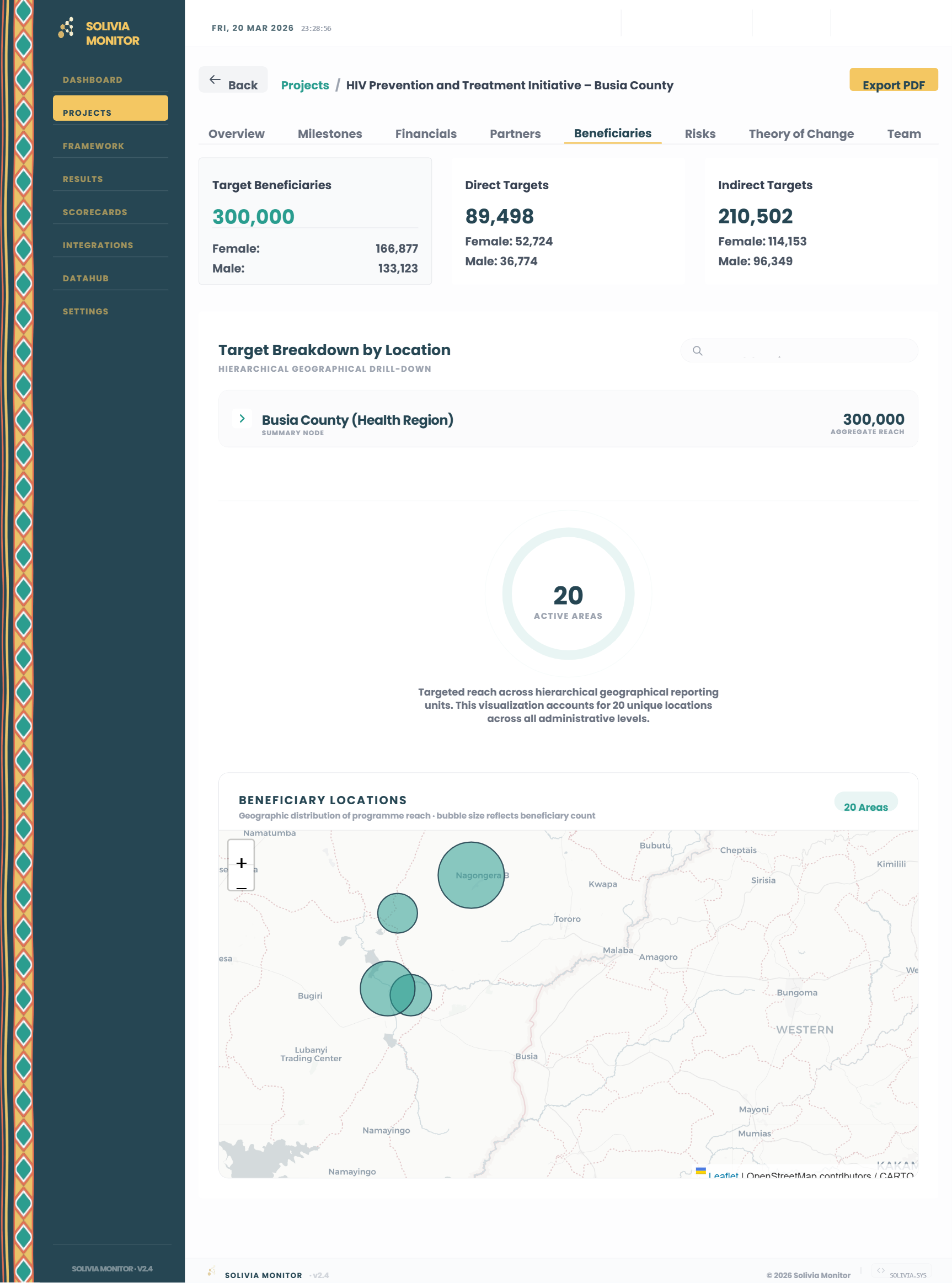
Direct/indirect targets, hierarchical location drill-down, and interactive map.
The programme's risk register detailing likelihood, impact, and mitigation owners.
Causal logic builder displaying the "IF WE → THEN WE" linked cards and rationales.
The list of platform users assigned specifically to run that programme.
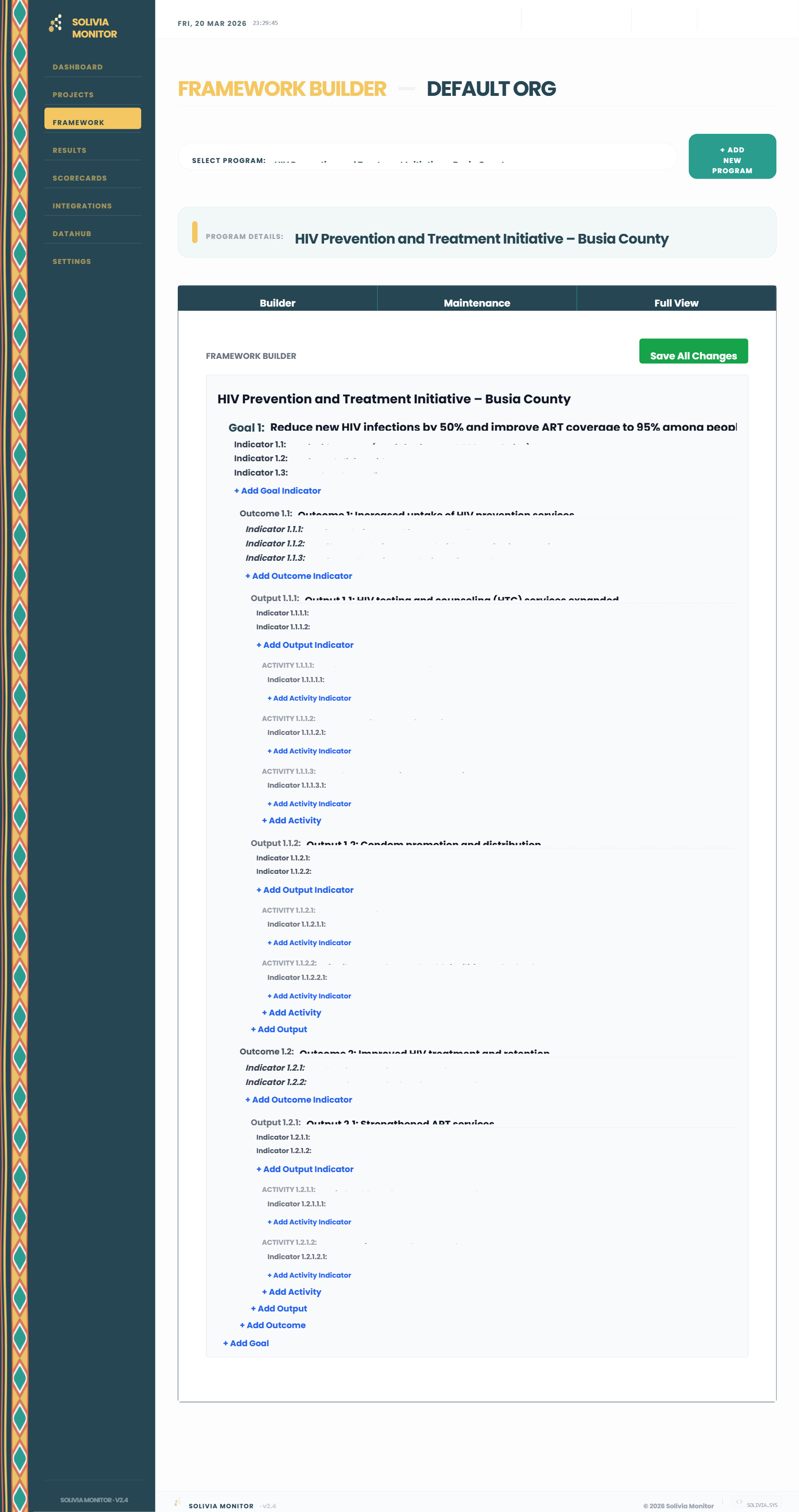
Build and maintain the logical hierarchy of programmes. Seamlessly link Goals to Outcomes, Outputs, and Activities to construct the Theory of Change, and configure the rules for all programmatic indicators.
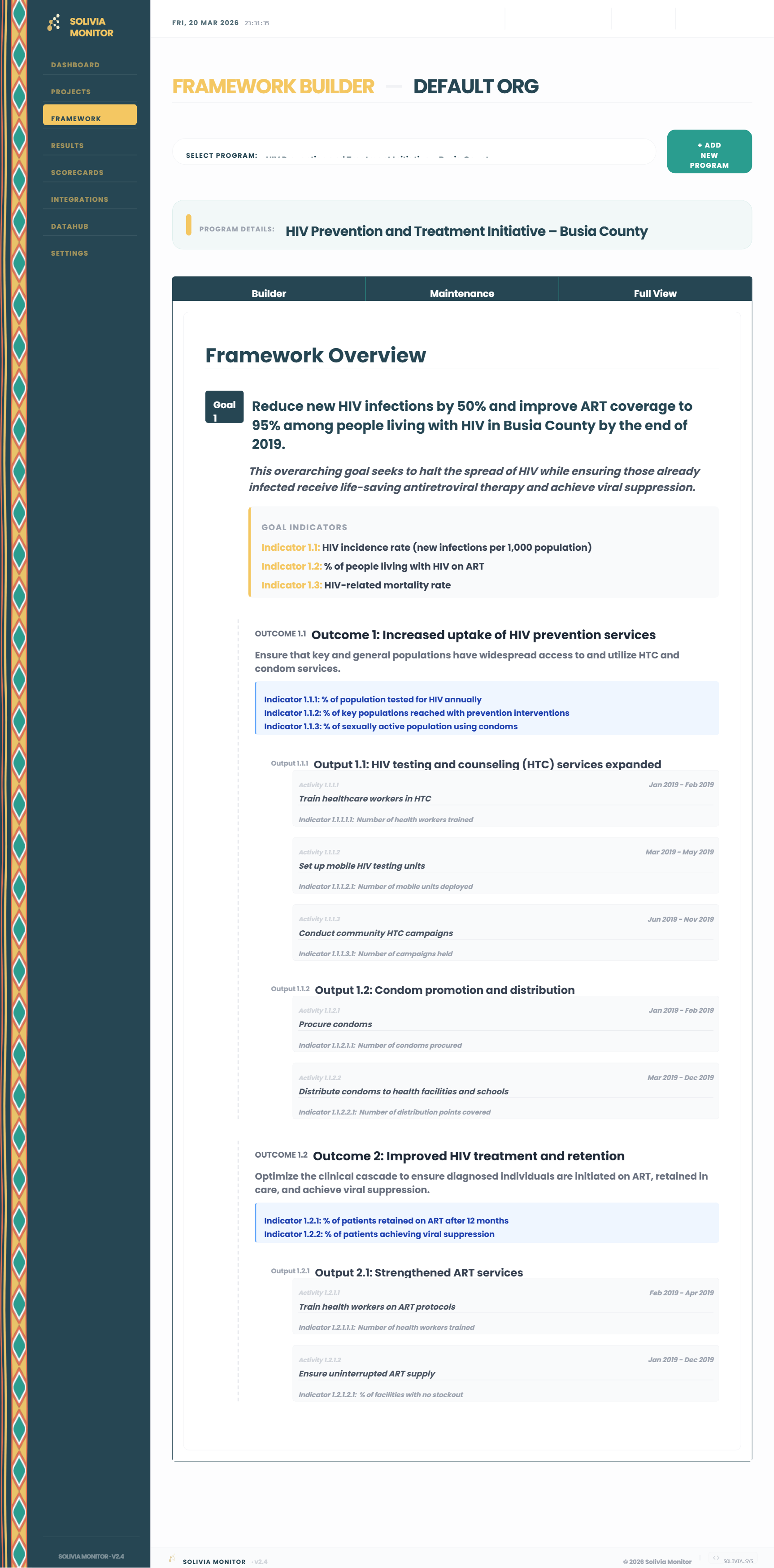
The primary interface for constructing the programme's Theory of Change architecture. Elements are created and arranged in a nested, expandable hierarchy.
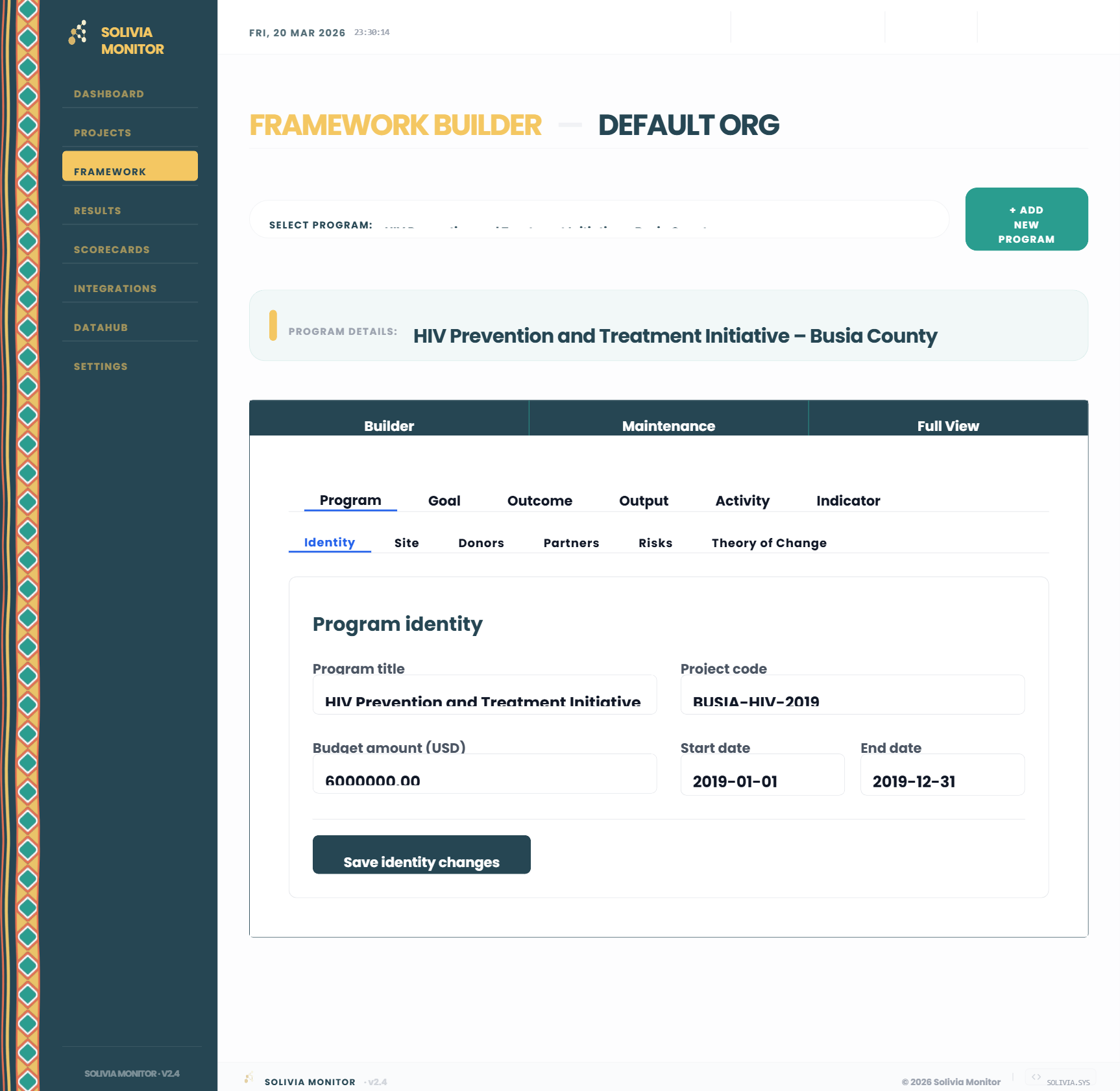
Acts as the core configuration engine for the programme. Data registered here drives modules, dropdowns, and calculations across the rest of the system via its sub-tabs:
Configures identity, beneficiary targets, financial donors, partners, risks, and ToC links.
Registers the overarching objectives and the expected strategic result areas.
Defines deliverables and specific intervention milestones with start/end duration dates.
Comprehensive setup for measurement rules, disaggregations, baselines, and targets.
A read-only, top-down representation of the complete programme architecture in a single scrollable layout, intended for programme integrity review and stakeholder reporting.
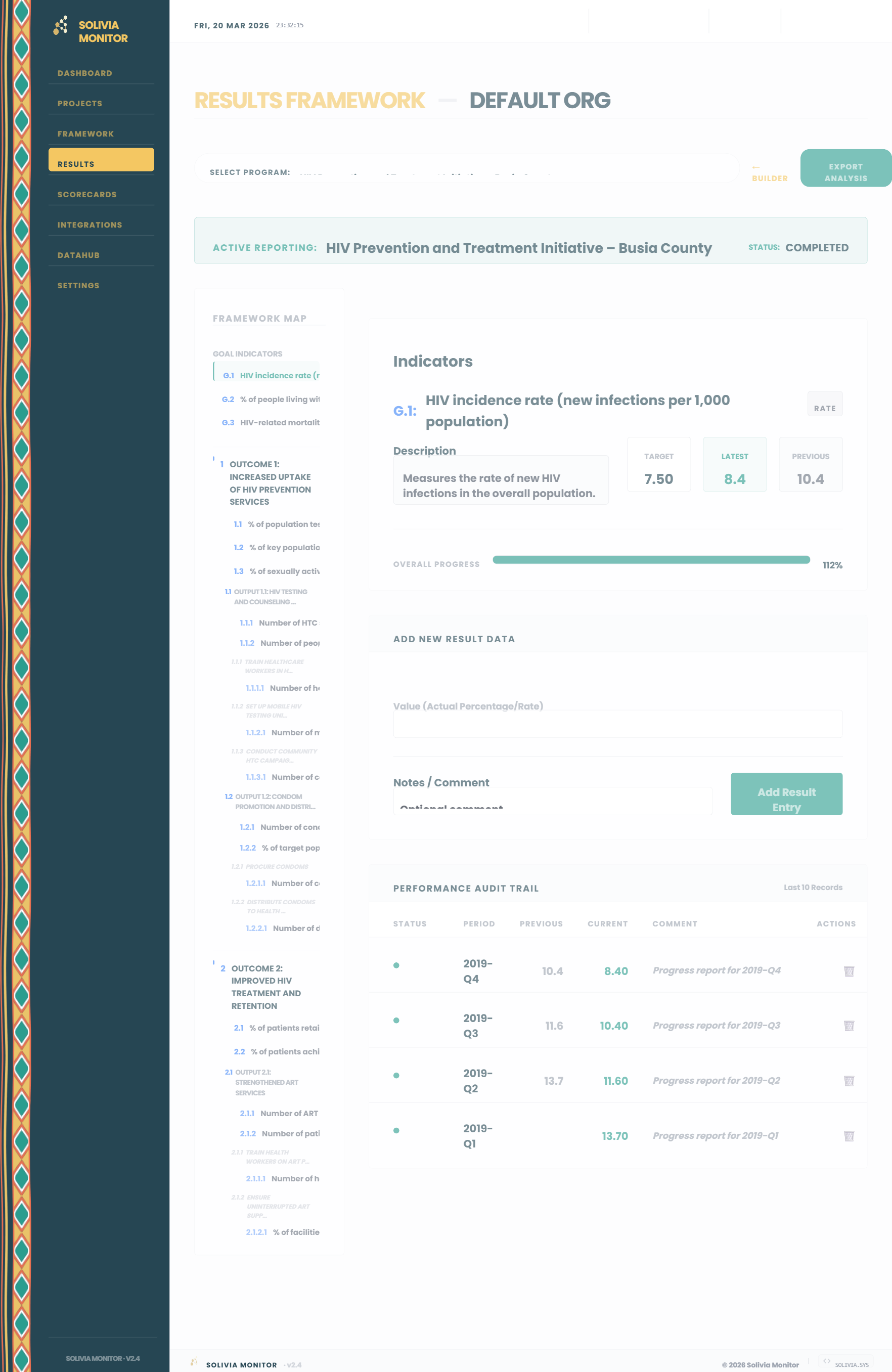
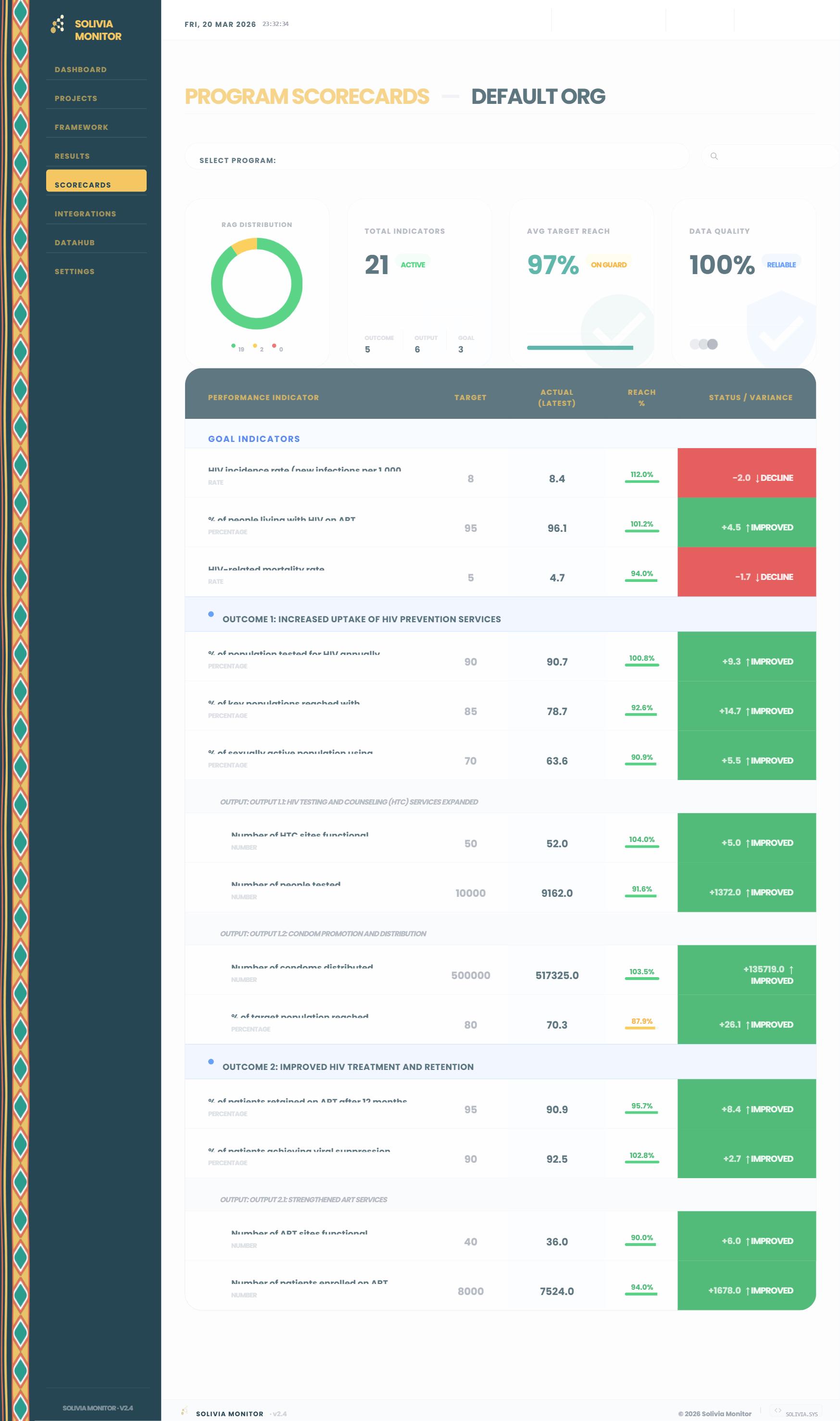
Measure actual results against planned targets. Use the Results module for streamlined periodic data entry, and rely on the automated Scorecards to instantly calculate variances and visualize overall programme performance.
Sticky hierarchical navigation tree (Goal → Outcome → Output) maintaining context.
Record specific numeric actuals against periods and attach narrative variance notes.
Live visual progress bars computing latest cumulative achievement vs target.
A 10-record history trail for tracking periodic updates and manual reversals.
Doughnut charts visualizing Green, Amber, and Red programmatic health metrics.
Aggregated measurements of total active indicators and overall target reach %.
Comprehensive tables organizing performance structurally by Outcome and Output.
Programmatically computed status variance formulas requiring zero manual entry.
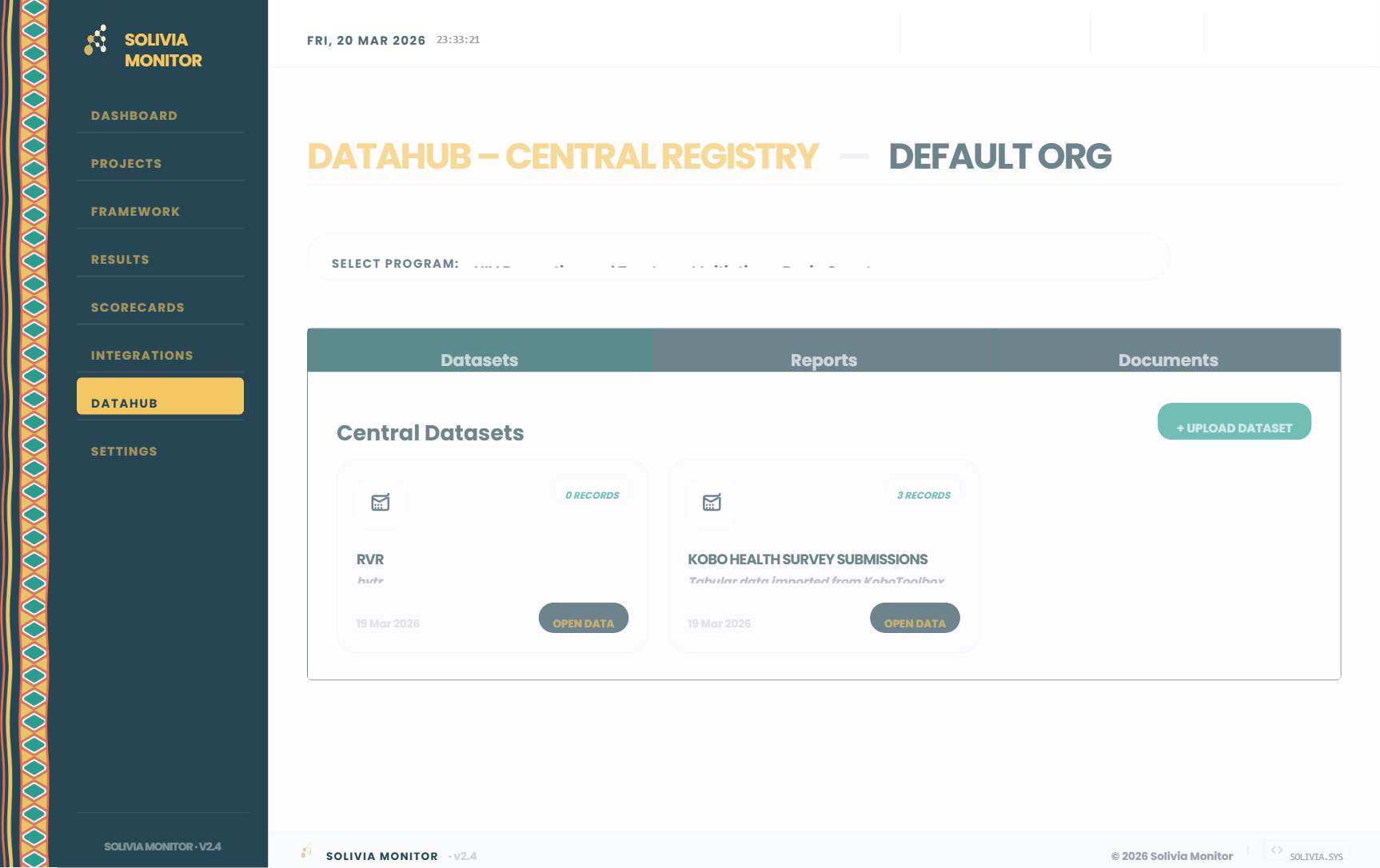
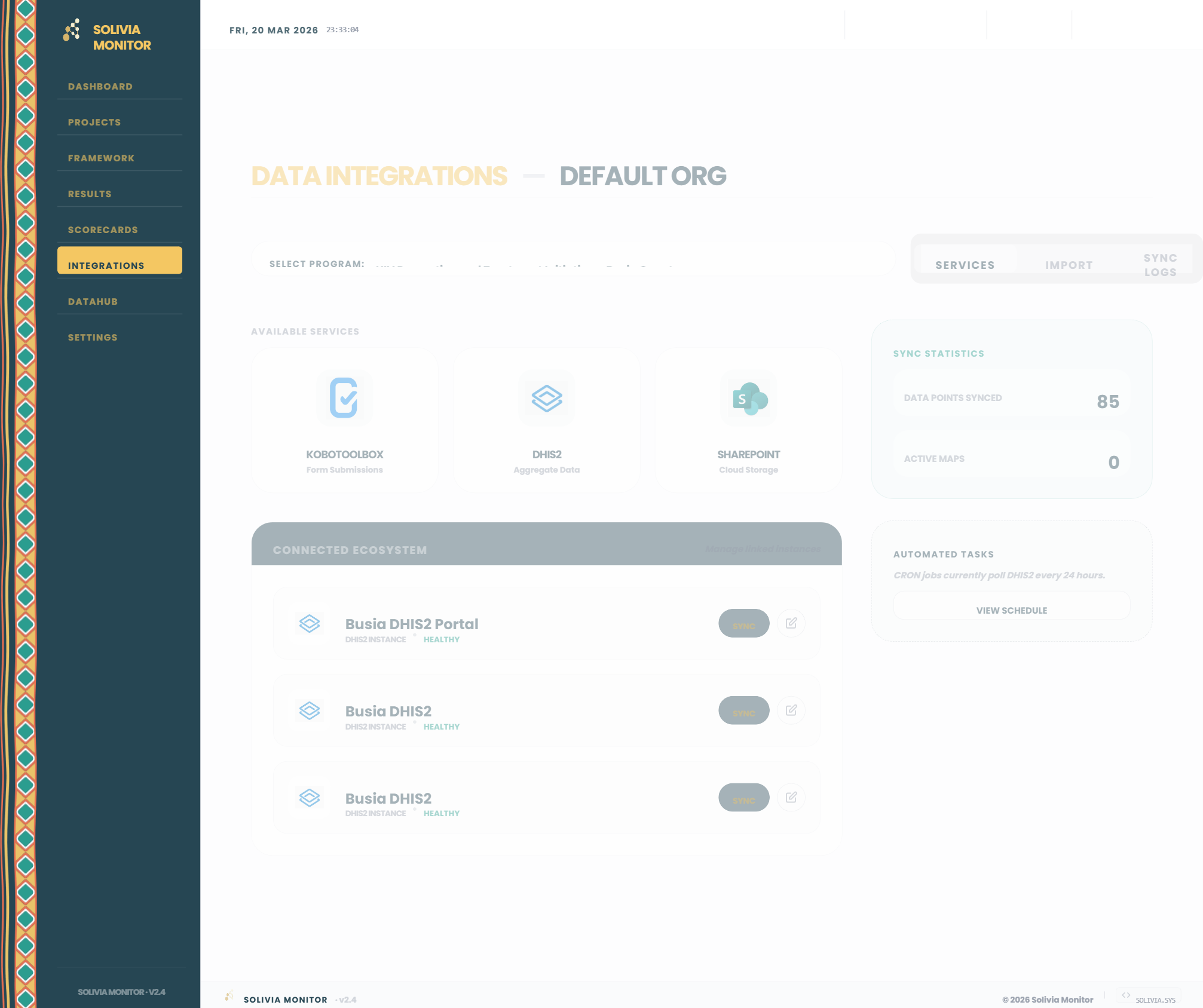
Centralise all programmatic knowledge in one secure place. Organise datasets and narrative reports, and seamlessly sync data directly from external collection platforms like KoboToolbox, DHIS2, and SharePoint.
Secure vault for storing and querying indexed tabular metadata files.
Archive for internal, donor, and final progress reporting narratives.
Organizational drive for operational PDFs and structural logic files.
Marketplace pipelines interfacing with KoboToolbox, DHIS2, and SharePoint.
Live telemetry displaying total synced data points and CRON schedules.
Upload mathematically formatted indicator data en masse via CSV grids.
Immutable 30-day historical ledger detailing API payloads and outcomes.
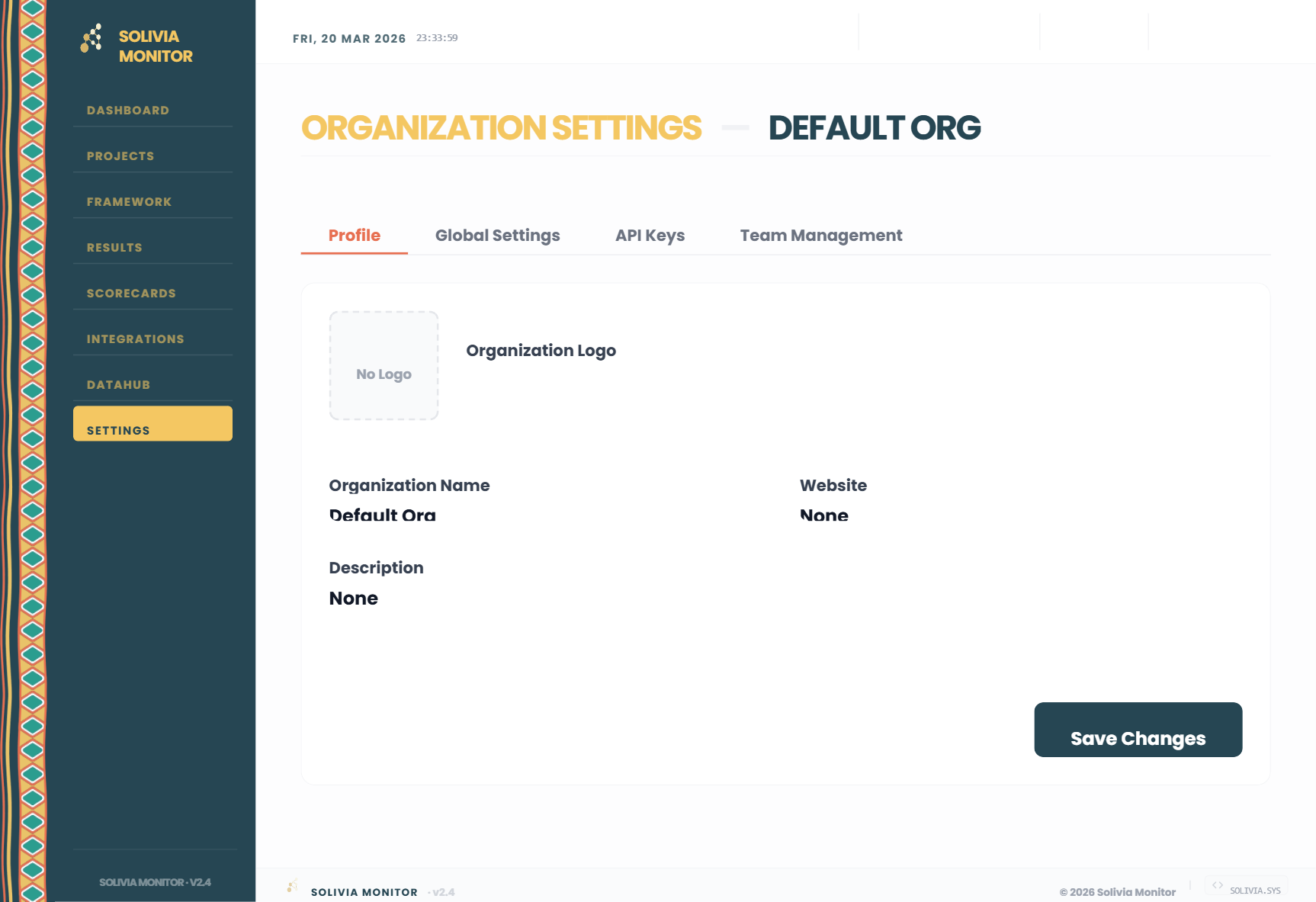
Manage the organisation's environment and settings. Control global configurations like default currencies, enforce role-based team access, and securely provision API keys for external integrations.
Simplify Monitoring & Evaluation workflows with a system designed for clarity and performance.
We are setting up your custom environment. This will take exactly 4 minutes. Please do not close this tab.